From 7 Working Days to a Few Clicks: Parcel Data, Ready for GIS
Tagum City manages more than 300,000 parcel records across different workflows and offices. For years, one recurring problem was not creating parcel data—it was getting updated parcel information from the Assessor’s Office into the GIS team’s workflow quickly and consistently.
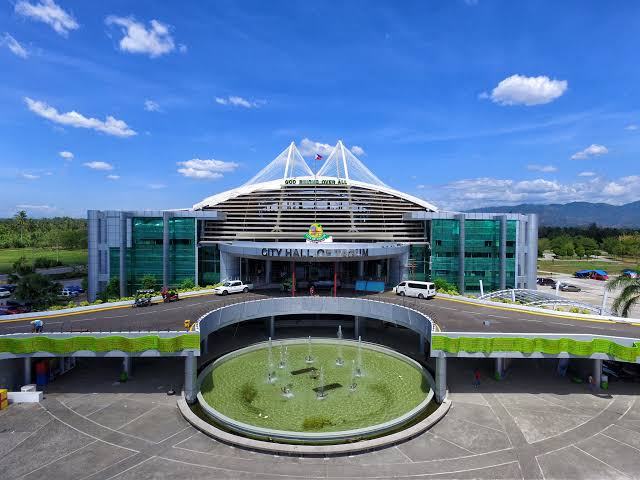
3
Offices
Land Assessors, City Planning Office
Challenge
The Assessor’s Office works with parcel drawings in AutoCAD, while the GIS team needs those parcels in a format they can immediately use for mapping and spatial analysis.
That created a gap.
When parcels were created, edited, or subdivided in CAD, the GIS team could not immediately use the updates. A single data retrieval and conversion process could take up to 7 days.
The result was a familiar problem: the data existed, but it was not yet available where it was needed.
Why We Started With Parcels
Centralizing an entire LGU's spatial data can become complicated very quickly.
So instead of trying to change everything at once, TopMap Solutions started with one of the most important datasets: parcels.
The goal was simple:
Keep the Assessor’s existing CAD workflow while making updated parcel data immediately accessible to the GIS Office.
Solution
How We Simplified the Workflow
We built a custom workflow around how both offices already work.
The Assessor’s Office can continue using AutoCAD for drawing, editing, and subdividing parcels. Small plugin tools were added so the workflow still feels familiar to their team.
Instead of manually preparing and transferring files, staff can simply save and sync their work.
The centralized system handles the movement of the parcel data between offices.
The GIS team then opens the platform and downloads the updated parcel data directly for use in their existing GIS workflow.
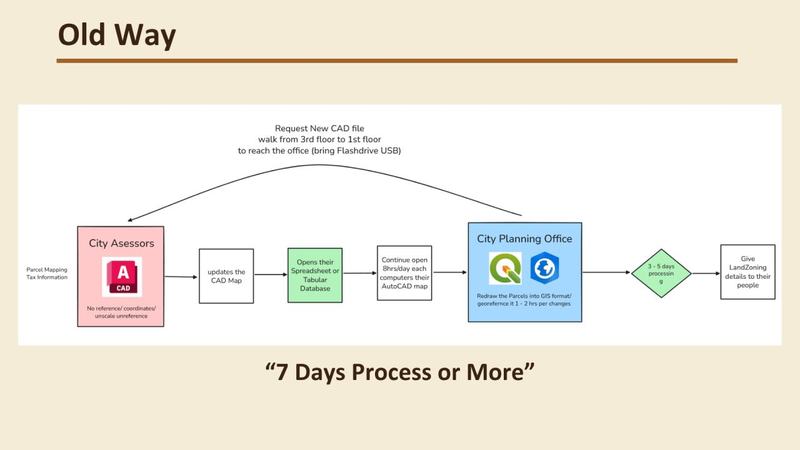
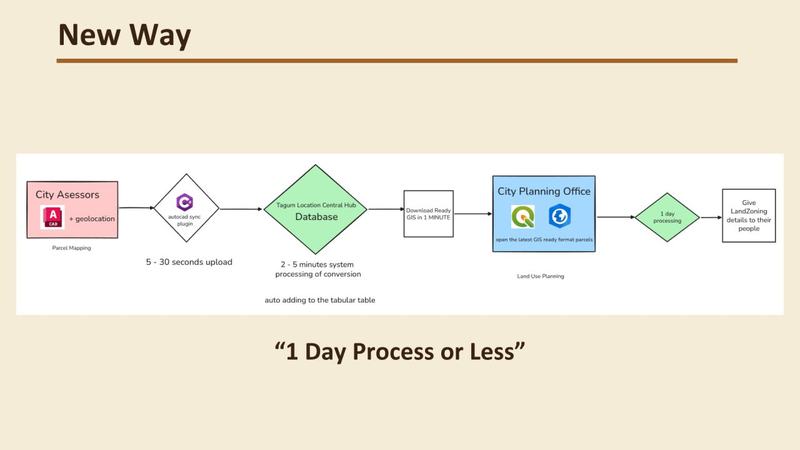
Assessor draws → Save & Sync → Centralized Parcel Data → GIS downloads
No major change in how the assessor works. No waiting days for the GIS team to receive the latest parcels.
The Impact
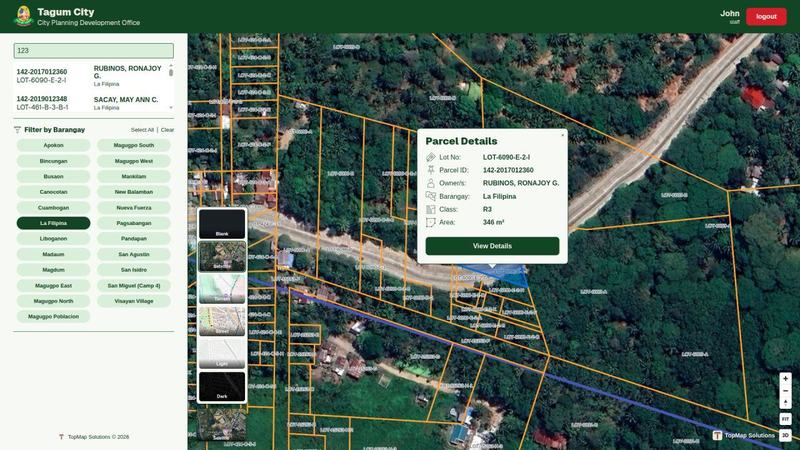
What was previously a multi-day parcel retrieval process becomes a simple part of the normal working day.
The Assessor’s Office continues drawing parcels using familiar CAD tools.
The GIS Office gets access to updated parcel information without repeatedly requesting, converting, and transferring datasets between offices.
For a city managing more than 300,000 parcels, even a small improvement in how data moves between departments can remove a significant operational bottleneck.
Solving a Decades-Old Workflow Problem
This is not about replacing CAD or replacing GIS., It is about connecting them.
A workflow that has existed for decades—CAD in one office, GIS in another, with manual data transfer between them—can be simplified without forcing staff to abandon the tools they already know.
A video shows how to sync CAD -> GIS in few seconds
Start with your project
Bring us the drawing, parcel workflow or map problem.
Tell us what you have, who needs to use it and what a useful result should look like. We’ll help define the right starting point.
Send us your project brief